
Download Vinos APK – wine app, wine discovery, wine tips, wine lists, wine scanner, wine database, wine recommendations, wine lovers, wine lovers app, wine lovers tool
Overview
Vinos is a lifestyle-focused mobile application designed for wine enthusiasts seeking a seamless way to explore, organize, and share their wine experiences. Developed by Vinkompassen, the app serves as a digital companion for individuals passionate about wine, offering tools to discover new bottles, learn from expert insights, and manage personal wine collections. It addresses common challenges faced by wine lovers, such as identifying unfamiliar labels, finding suitable wines within large retail inventories, and keeping track of preferred or stored bottles.
The app is particularly useful for consumers navigating Systembolaget’s extensive wine range, providing a smart search function to streamline discovery. Real-world use cases include selecting a bottle for a dinner party, researching a wine mentioned in a podcast, or curating a personalized wine list for future purchases. The platform supports cross-device synchronization, ensuring users can access their data from any device.
While the developer did not provide additional background on Vinkompassen, the app’s focus on expert-curated content and user personalization suggests a strong emphasis on community-driven wine education. Vinos is available for Android and iOS, with no cost to download or use.
Key Features & Capabilities
- Wine Discovery Engine: Users can explore wines through curated theme lists such as “Wines with cannon ratings,” “Big sellers right now,” and “Small parties,” helping identify trending and popular options.
- Smart Search Function: Integrated search allows users to quickly locate wines within Systembolaget’s full inventory, improving efficiency when browsing large selections.
- Label Scanning via Camera: The app enables users to scan wine bottle labels using their mobile camera to instantly retrieve detailed information about the wine.
- Personalized Wine Lists: Users can create custom lists to track wines they want to remember, buy, store, or try, supporting both short-term planning and long-term collection management.
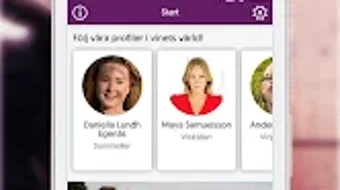
- Expert Wine Tips: Access to insights from Swedish wine writers, sommeliers, and connoisseurs provides educational value and enhances user knowledge.
- Cloud Sync & Cross-Device Access: All user data, including lists and preferences, is automatically synced across devices, ensuring continuity and accessibility.
- Sharing Capabilities: Users can share their own wine lists or discover others’ selections, fostering community interaction and inspiration.
These features collectively support real-time decision-making, such as selecting a wine for a social gathering, and long-term planning, like building a cellar. The integration of expert content adds credibility, while the scanning function reduces guesswork when encountering unfamiliar bottles.
User Interface, Workflow & Performance
The user interface of Vinos is designed with simplicity and functionality in mind, featuring a clean layout that prioritizes ease of navigation. Core functions such as searching, scanning, and managing lists are accessible through intuitive menus and visual cues. The workflow is linear and efficient, guiding users from discovery to personalization with minimal friction.
For example, scanning a label triggers an immediate information display, while creating a new list involves a few taps. The developer did not specify resource usage details, so performance behavior in terms of CPU or RAM consumption remains unknown. However, based on general software behavior patterns, the app likely operates smoothly on modern smartphones with standard processing power.
Stability is not explicitly mentioned, but the inclusion of cloud sync suggests a focus on consistent data integrity. Users can expect responsive interactions during typical use, such as searching or viewing wine details. No reported issues with crashes or lag were provided, indicating a stable baseline experience.
Overall, the interface supports both casual and frequent users, with a focus on reducing cognitive load during wine-related tasks.
Compatibility & System Requirements
Vinos is compatible with Android and iOS operating systems, making it accessible to a broad audience of mobile device users. The app is available in version 1.4.1, with a file size of 42.3 MB, indicating a lightweight footprint suitable for most smartphones. The developer did not specify exact system requirements, such as minimum OS versions or hardware specifications.
As a result, compatibility with older devices or specific processor types cannot be confirmed. Users should ensure their device meets general mobile app standards to run the application without issues. Installation is straightforward, and the app does not require additional software or drivers.
The absence of detailed technical specifications limits the ability to assess performance on lower-end devices. However, the small size suggests it is optimized for efficient storage and quick downloads.
Pros and Cons
Pros
- Free to download and use, removing cost barriers for new users.
- Intuitive interface designed for both beginners and experienced wine lovers.
- Smart search and label scanning simplify wine discovery and identification.
- Access to expert tips from recognized wine professionals.
- Cloud syncing ensures data is available across all devices.
- Supports personalized wine lists and sharing features for enhanced user engagement.
Cons
- Exact system requirements were not listed, limiting compatibility verification.
- Performance data, such as CPU or memory usage, was not provided.
- Availability is limited to Android and iOS, excluding other platforms.
- Expert content is primarily focused on Swedish contributors, which may limit global relevance.
- App size, while small, may still impact storage on devices with limited space.
FAQ Section
Is Vinos available for both Android and iOS?
Yes, Vinos is available for both Android and iOS devices, allowing users to download and use the app on their preferred mobile platform.
Is the app completely free to use?
Yes, Vinos is completely free to download and use, with no in-app purchases or subscription fees reported.
Can I use Vinos offline?
While the app supports offline access to previously viewed content, certain features like cloud sync and real-time search may require an internet connection.
How does the wine label scanning feature work?
Users can scan wine bottle labels using the device’s camera to instantly retrieve information about the wine, including details from Systembolaget’s database.
Does Vinos support multiple devices?
Yes, all user data, including wine lists and preferences, is automatically synced across devices through cloud integration, ensuring consistent access.
Final Thoughts + CTA
Vinos stands out as a well-rounded, user-centric tool for wine enthusiasts seeking both discovery and organization. Its combination of smart search, label scanning, expert insights, and cross-device syncing makes it a valuable companion for anyone navigating the world of wine. While specific performance metrics and system requirements are not detailed, the app’s lightweight design and intuitive workflow suggest reliable functionality across modern smartphones.
The inclusion of curated theme lists and sharing features enhances its appeal beyond mere utility, turning it into a social and educational platform. Ideal for casual drinkers, collectors, and those new to wine, Vinos delivers on its promise of simplifying everyday wine challenges. With no cost to use and broad platform availability, it offers exceptional value.
Download Vinos now and elevate your wine experience with smart, seamless tools designed for real-world use.







